
Product Systems
Machine Vision False Rejects: Check the Lighting Before the Camera
When a reflective part fails inspection, compare reference images before ordering a camera. Learn when to scope the light, controller or mounting instead.
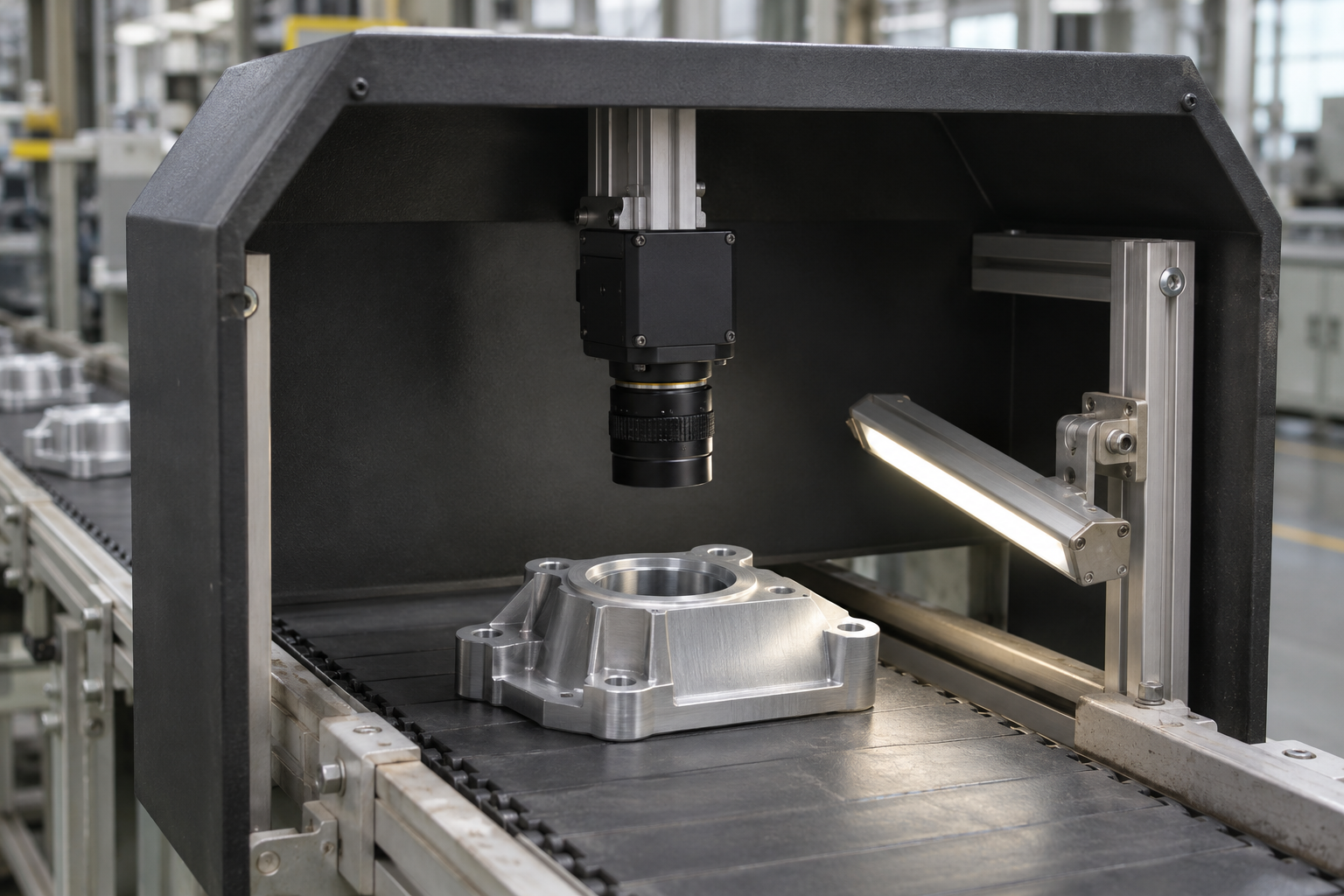
A validated inspection station starts rejecting good aluminum housings after a light bar is replaced. The camera still captures a sharp image, but a bright reflection now crosses the area where the software looks for a scratch. Ordering a camera would leave that change unexplained. Compare what the station sees now with what it saw when the inspection was validated.
In a November 20 recap of IMTS 2026, Novanta described a partner demonstration that combined 3D vision, sensing and tool changing for tasks that included connector insertion. That was a demonstration of an integrated application. In the simpler 2D scratch-inspection example here, the light, optics and image capture also work together, and the camera is only one part of the result.
Compare the same reference part
Start with saved images from the approved setup and current images of the same reference part at the same orientation and inspection recipe. Compare the area used to make the decision, not just the overall brightness. If the edges stay sharp but a bright patch has moved over the inspection region, verify the light position and part presentation before attributing the change to the camera. If the relevant details are blurry across the frame, ask the vision team to review focus, mounting and motion during exposure. If images are missing altogether, investigate acquisition rather than treating the missing frames as glare.
The KEYENCE lighting guide explains why angle and wavelength matter and describes how low-angle illumination can make surface defects easier to see. On a setup that pulses the light with the camera trigger, the existing captures and event records can help distinguish inconsistent lighting during exposure from a permanent change in geometry. Neither pattern, by itself, proves that a particular component failed.
Specify the item that changed
If maintenance identifies the light as the affected item, quote its full part number separately from the light controller and mounting hardware. A replacement that fits the bracket can still produce a different pattern of light on the workpiece. Keep the approved and current images with the request, together with any documented difference in light angle, controller or trigger mode. After an approved change, the quality team should confirm the station still accepts known good samples and detects known defects under normal operating conditions.
For failures beyond image capture, see how to trace an inspection problem from the camera through the PLC. Browse more product systems guides or send NANKMOS the identified part reference for quotation. Confirm the proposed scope and compatibility before ordering.
Related guides
View all guides
AMR Charging Faults: Is the Spare on the Robot or at the Dock?
When an AMR stops charging, distinguish the fixed dock from the vehicle battery. Use dock IDs and fleet events to scope the right replacement RFQ.
Read guide
Servo Drive Spares: EtherCAT Is Not the Encoder Interface
An EtherCAT drive can still be the wrong spare. Learn how to verify the motor encoder protocol, feedback cable and exact drive variant before ordering.
Read guide
CENTUM R7.02: An Estimate Is Not a Field Measurement
Yokogawa’s CENTUM R7.02 adds AI Estimation. See how to distinguish model outputs, transmitter readings and laboratory results before ordering a spare.
Read guide
Rockwell LogixEdge: One Device, Two Change Approvals
Rockwell LogixEdge brings machine control and edge software onto one device. Define who approves each change and what must be verified before release.
Read guideSend your part number, photos or nameplate.
Our team will verify, check availability, and reply with options within 24 hours.
[email protected]+86 18359268345WhatsApp