
Product Systems
CompactLogix 5390 vs 5380: What Changes for Replacement Planning
CompactLogix 5390 vs 5380: understand local I/O, engineering versions and migration boundaries before selecting a replacement controller.
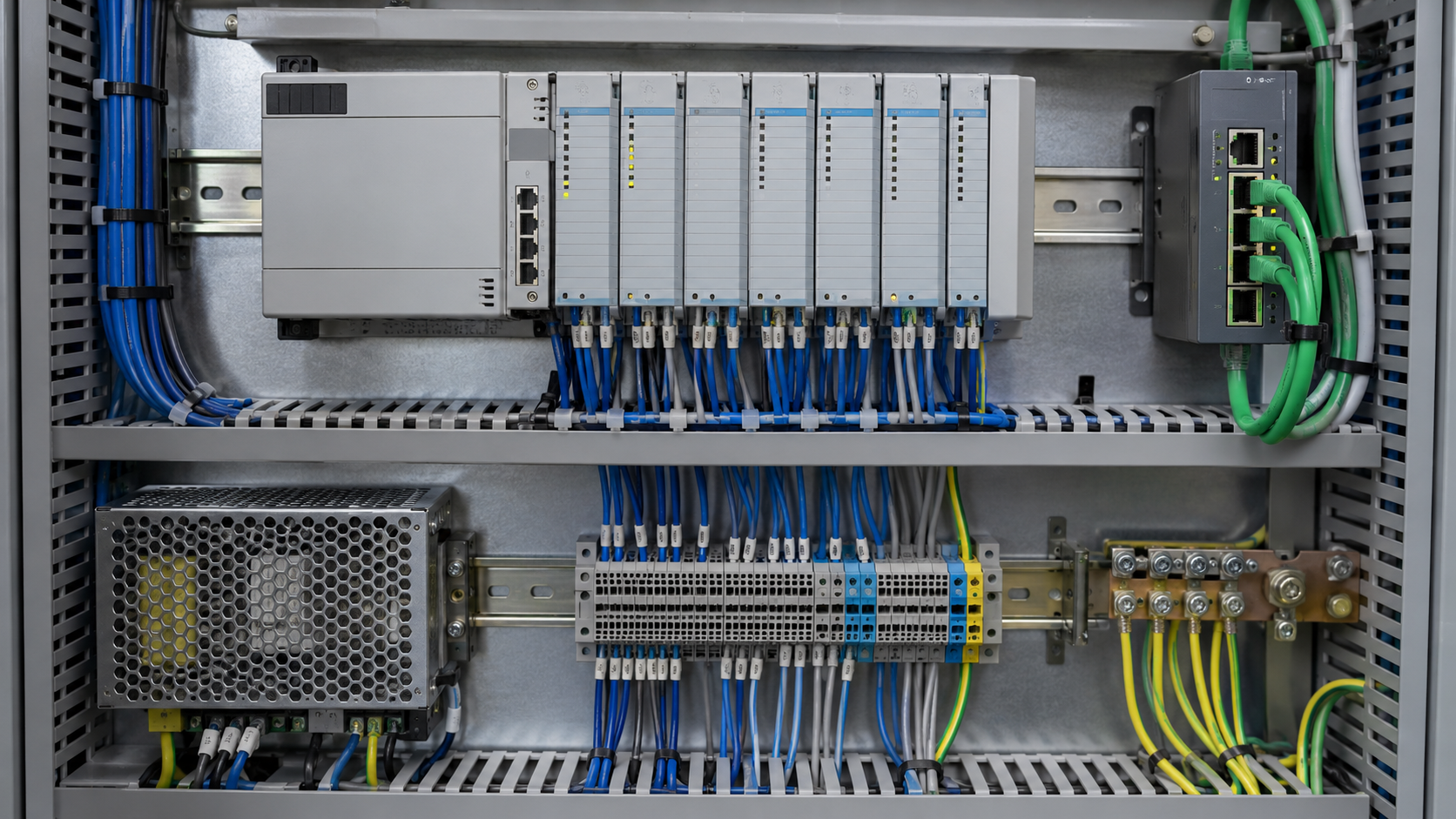
Rockwell Automation announced the CompactLogix 5390 controller on 13 October 2026. For maintenance and purchasing teams supporting installed CompactLogix systems, the useful question is how the new architecture changes replacement planning. A new generation can be a migration candidate without being a directly interchangeable maintenance spare.
The launch describes local PointMax I/O and integration with the wider Rockwell control ecosystem. This article separates those documented product details from NANKMOS’ practical interpretation for installed equipment. It does not provide a model-to-model replacement approval.
Start with the installed system, not the newest controller name
Suppose a machine has a failed controller and an approved program backup. Purchasing a newer controller first can leave the maintenance team with a second problem: the original project, local I/O assembly, wiring or engineering workstation may need additional changes before the machine can run.
Keep two decisions separate. An outage spare is selected against the installed catalog number, series, firmware and approved application. A planned modernization is an engineering project with a target architecture, conversion work and acceptance testing. The 5390 launch does not establish that every existing CompactLogix application can be restored by exchanging only its CPU.
Three architecture details that change the conversation
Rockwell’s selection publication, 5034-TD900B-EN-P, July 2026, provides the technical comparison used below. It is a technical reference, not a new October announcement.
| Area | Documented detail | Replacement implication |
|---|---|---|
| Local I/O | The 5390 system uses Bulletin 5034 PointMax local I/O. | Identify the installed I/O family and terminal assemblies before proposing reuse. |
| Engineering software | The comparison lists Studio 5000 Logix Designer version 39 and later for 5390, versus version 29 and later for 5380. | Review the project version and engineering environment; a version range alone does not approve conversion. |
| Application capacity | The publication provides capacities by controller catalog number. | Select against actual application resources rather than assuming every model has the family’s maximum capacity. |
These differences make the controller, I/O and project a system-level review. A shared Logix family name or EtherNet/IP connection does not establish compatibility at every interface.
Migration support is not an interchangeability statement
The selection publication identifies migration from CompactLogix 5380, 5370 and MicroLogix 1400 to 5390. Read that as a starting point for a migration assessment. It does not remove the need to check application instructions, module profiles, networked devices, motion behavior, HMI references and commissioning requirements for the specific machine.
For example, retaining remote equipment while replacing a CPU still requires verification of the configured devices and connections. Replacing a local I/O assembly also changes the questions about terminal layout, field wiring, power distribution and cabinet space. Record those separately so the quotation does not silently become a larger retrofit.
Safety and security features still need application review
Rockwell’s launch highlights integrated safety and cybersecurity. Those product capabilities are not evidence that an existing machine safety function, network policy or validation record transfers unchanged. The responsible controls engineer should define what must be revalidated and who approves the restored or migrated system.
Do not treat a controller purchase as a firmware-upgrade instruction. Maintain the site’s approved backup and change process, and plan a verified recovery path before any machine modification.
What purchasing should request
For an outage replacement, send the complete installed identifier, label photos, firmware, program version and required quantity, and ask for an explicitly identified proposed item. For a modernization, add the I/O inventory, target software environment and expected engineering scope. Ask the supplier to state any assumptions rather than treating a different generation as automatically equivalent.
NANKMOS can review the identifiers submitted through our RFQ contact page. Use the automation product catalog to locate installed references and our technical resources for related maintenance topics. Availability and suitability are confirmed for the specific request.
Official references
- Rockwell Automation’s CompactLogix 5390 launch, 13 October 2026.
- CompactLogix 5390 product overview, accessed 15 October 2026.
- Controller selection and specifications, 5034-TD900B-EN-P, July 2026 technical reference.
Featured image: AI-generated illustration of a generic PLC and I/O cabinet; it is not a photograph of a CompactLogix 5390 or 5380 product.
Related guides
View all guides
Machine Vision False Rejects: Check the Lighting Before the Camera
When a reflective part fails inspection, compare reference images before ordering a camera. Learn when to scope the light, controller or mounting instead.
Read guide
AMR Charging Faults: Is the Spare on the Robot or at the Dock?
When an AMR stops charging, distinguish the fixed dock from the vehicle battery. Use dock IDs and fleet events to scope the right replacement RFQ.
Read guide
Servo Drive Spares: EtherCAT Is Not the Encoder Interface
An EtherCAT drive can still be the wrong spare. Learn how to verify the motor encoder protocol, feedback cable and exact drive variant before ordering.
Read guide
CENTUM R7.02: An Estimate Is Not a Field Measurement
Yokogawa’s CENTUM R7.02 adds AI Estimation. See how to distinguish model outputs, transmitter readings and laboratory results before ordering a spare.
Read guideSend your part number, photos or nameplate.
Our team will verify, check availability, and reply with options within 24 hours.
[email protected]+86 18359268345WhatsApp