
Maintenance & RFQ Guides
FANUC Robotic Welding RFQ: What to Record Before Quoting Replacement Parts
A practical RFQ checklist for identifying robotic welding cell spares: robot and controller references, welding package, dress pack, safety circuit, backups and fault evidence.

FANUC America’s October 2026 FABTECH announcement highlights robotic welding, collaborative robotics, laser processing and paint automation for fabrication applications. For a maintenance or procurement team, the useful takeaway is not a promise that one robot will fit every cell. It is a reminder to capture the complete station identity before requesting a replacement part or service quote.
This guide turns the public event announcement into a practical robotic welding RFQ checklist. It does not confirm stock, delivery, compatibility or project performance. Those points must be checked against the installed robot, controller, welding package, safety circuit and site configuration.
What the recent FANUC update actually says
FANUC America says it will demonstrate automated solutions for welding and painting at FABTECH 2026, including robotic welding, plasma cutting, laser processing, collaborative welding and robotic paint applications. The announcement is an event and technology overview, not a substitute for an equipment manual or an approved spare-parts list.
Read the official FANUC America announcement for the source context. For an installed cell, ask for the current technical documentation that matches the equipment serial number and controller revision.
1. Identify the robot and controller as one system
A robot arm reference alone is rarely enough for a replacement-part inquiry. Record the robot model, payload and reach, serial number, controller family, controller serial number, software version and any option codes visible on the nameplates. Photograph the labels clearly and keep the original file names with the RFQ package.
- Robot model, serial number, axis configuration and mounting orientation
- Controller model, cabinet serial number and teach pendant reference
- Application software, option packages and recent backup date
- Cell identification, line position and country or site standard
If a controller or teach pendant is being considered for replacement, state whether the requirement is a like-for-like repair, a tested spare, a refurbished unit or an engineering review for an alternative. Do not describe an unverified substitute as an approved equivalent.
2. Describe the welding package and cable dress
Welding performance depends on more than the robot mechanics. Record the welding power source, wire feeder, torch model, torch mount, reamer or tip changer, gas equipment and the communication path between the welding package and controller. Include photos of connectors, cable labels and the dress-pack routing.
For a torch, dress pack or cable replacement, include the cable length, connector type, bend path, mounting hardware and wear symptoms. State whether the failure is an open circuit, intermittent signal, insulation damage, collision damage, water ingress or excessive mechanical wear. These details help separate a consumable issue from a cable, interface or controller problem.
3. Capture the fixture, work envelope and process limits
A replacement component may be mechanically correct but still unsuitable for the actual cell. Include the fixture layout, part dimensions, weld schedule reference, torch approach constraints, positioner interface and any collision or reach limitations. Note whether the cell handles one part family or frequent changeovers.
For a technical review, provide the required accuracy, cycle-time target, material type, wire size, shielding gas and duty cycle. Keep those operating details separate from the part identifier so that a quote does not imply process approval.
4. Map the safety and recovery boundary
Request a site-specific safety review for the complete cell. Document gate switches, light curtains, area scanners, emergency stops, enabling devices, safe-speed functions and the manual recovery position. Record what happens after a collision, wire jam, torch fault or loss of communication.
When the RFQ concerns a safety relay, scanner, interlock or controller module, identify the safety circuit architecture and required approvals. A device that looks similar may have different diagnostics, wiring or reset behavior. The supplier should confirm the exact reference and revision before any substitution is evaluated.
5. Include maintenance history and backup evidence
Attach the latest alarm history, controller backup, parameter backup, calibration record and preventive-maintenance notes that are relevant to the failed part. Mention the last successful operation and the conditions under which the fault appeared. A short timeline is often more useful than a general statement that the robot is not working.
For a repeated cable, torch or axis fault, include previous replacement dates, collision records and photos of the wear location. For a controller or drive issue, include fault codes, fan or battery service history and any changes made before the failure.
6. Ask for a quote that separates evidence from assumptions
A clear RFQ should separate confirmed identifiers, observed symptoms and open technical questions. Ask the supplier to state the quoted part number, revision, condition, test scope, included accessories, configuration requirements and any information still needed to confirm fitment.
Useful request fields include:
- Exact part number and revision shown on the installed unit
- Robot, controller and welding-package serial references
- Condition required: new, repaired, refurbished or evaluation only
- Test report, configuration or firmware requirements where applicable
- Photos, alarm history and delivery or service constraints
Related NANKMOS resources
Use the industrial automation product catalog to organize controller, drive, communication and control-board references. The Resources page contains additional RFQ guidance, while the NANKMOS contact page can be used to send part numbers, nameplate photos and fault details for review.
Conclusion
FANUC’s recent FABTECH announcement is a useful signal about current automation applications, but an installed robotic welding cell still has to be identified from its own labels, backups, interfaces and maintenance history. A complete RFQ should connect the robot arm to its controller, welding package, safety circuit and process evidence. That gives the supplier enough context to review a replacement or service request without turning an assumption into a compatibility claim.
Source: FANUC America, “FANUC America Demonstrates Automated Solutions for Welding, Machining and Painting at FABTECH 2026,” published October 2, 2026. Availability, condition, compatibility and suitability must be confirmed against current manufacturer documentation and the installed equipment.
Related guides
View all guides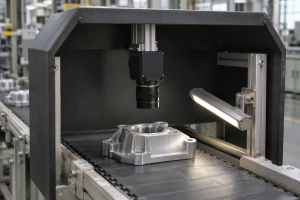
Machine Vision False Rejects: Check the Lighting Before the Camera
When a reflective part fails inspection, compare reference images before ordering a camera. Learn when to scope the light, controller or mounting instead.
Read guide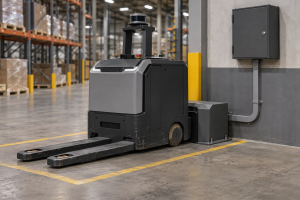
AMR Charging Faults: Is the Spare on the Robot or at the Dock?
When an AMR stops charging, distinguish the fixed dock from the vehicle battery. Use dock IDs and fleet events to scope the right replacement RFQ.
Read guide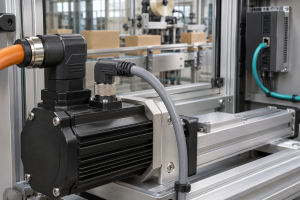
Servo Drive Spares: EtherCAT Is Not the Encoder Interface
An EtherCAT drive can still be the wrong spare. Learn how to verify the motor encoder protocol, feedback cable and exact drive variant before ordering.
Read guide
CENTUM R7.02: An Estimate Is Not a Field Measurement
Yokogawa’s CENTUM R7.02 adds AI Estimation. See how to distinguish model outputs, transmitter readings and laboratory results before ordering a spare.
Read guideSend your part number, photos or nameplate.
Our team will verify, check availability, and reply with options within 24 hours.
[email protected]+86 18359268345WhatsApp