
Maintenance & RFQ Guides
Siemens Renewable Hydrogen RFQ: What to Confirm for DCS and Digital Twin Integration
A practical RFQ guide for Siemens-related renewable hydrogen automation projects, covering DCS/PLC boundaries, digital-twin data, instrumentation, revisions, and commissioning details.

Renewable hydrogen projects combine process equipment, power systems, instrumentation, control, and software in one operating envelope. That makes a replacement or expansion RFQ more complex than identifying a single PLC card. The right question is not only “which Siemens part is this?” but also “what control boundary, signal path, revision, and commissioning constraint must the replacement fit?”
This article follows Siemens’ 8 October 2026 announcement about digitalizing the 100 MW GalpH2Park project in Sines, Portugal. Siemens says the deployment includes its Hydrogen Performance Suite, a physics-based digital process twin, live plant data integration, and real-time optimization. Those are useful reference points for structuring an RFQ, but they do not by themselves identify a replacement part or guarantee compatibility.
1. Define the automation boundary before naming a part
Start with a simple boundary map. Identify whether the requested item belongs to the electrolyzer skid, water treatment, hydrogen purification, compression, storage, utilities, electrical distribution, or the plant-level control and monitoring layer. Then record whether the item is used for basic process control, safety-related functions, drive control, remote I/O, networking, historian connectivity, or operator visualization.
A Siemens module that looks similar on a nameplate may sit in a different rack, firmware family, safety loop, or network architecture. The boundary map helps prevent an RFQ from mixing a field instrument replacement with a controller, communication, or software dependency.
2. Capture the control and data interfaces
- Controller and station family, rack or ET 200 location, slot position, and installed hardware revision
- Signal type and range: 4–20 mA, HART, pulse, thermocouple, RTD, discrete I/O, safety I/O, or a protocol gateway
- Network details: PROFINET, PROFIBUS, Ethernet-based interface, remote I/O segment, address, and topology role
- Firmware, TIA Portal or engineering-tool version, safety signature, and any approved configuration or GSD/GSDML dependency
- For digital-twin or optimization layers: data source, tag naming, historian path, timestamp behavior, and whether the requested item is hardware, software, license, or integration service
3. Send the identifiers that make the RFQ actionable
For a Siemens automation spare or replacement review, include clear photos of the nameplate and terminal area, the complete MLFB/order number, hardware and firmware revision, cabinet or rack location, and the reason for replacement. A cabinet photo alone is not enough if the part number is hidden or the revision label is unreadable.
For expansion or retrofit work, also provide the current I/O list, loop drawings, network topology, cabinet power details, and the intended operating window. If the plant has hazardous-area instrumentation or safety functions, include the applicable area classification and certificate requirements so the review does not stop at a mechanical match.
4. Separate replacement, expansion, and compatibility questions
Use one RFQ line for each decision. “Replace like-for-like” requires the installed identifier and revision. “Add capacity” requires spare channel, power, network, and engineering capacity. “Migrate or modernize” requires the current architecture, target architecture, software baseline, and outage or commissioning limits. These are different technical requests even when they reference the same Siemens family.
When requesting a quotation, ask for the exact item identification, stated condition, documentation available, lead-time indication, and any compatibility assumptions to be confirmed before ordering. Availability and suitability should be verified against the specific project records rather than assumed from a family name.
5. A compact Siemens hydrogen automation RFQ checklist
- Project area and process unit
- Installed Siemens family, MLFB/order number, revision, and quantity
- Rack/slot, I/O or network role, and control or safety function
- Firmware, engineering-tool, license, and configuration dependencies
- Photos of nameplate, terminals, cabinet location, and adjacent modules
- Replacement, expansion, or migration objective
- Required delivery window, documentation, testing, and commissioning constraints
For background on industrial automation spare-part identification, see our automation products and technical resources. If you have Siemens identifiers or cabinet records to review, use the contact page to send an RFQ. You can also compare this process-focused approach with our earlier Siemens SIMATIC IoT2050 RFQ guide.
Source
Siemens, “Siemens to digitalize one of Europe’s largest renewable hydrogen projects,” 8 October 2026. The source describes Siemens’ stated project scope; NANKMOS does not infer stock status, authorization, warranty, or guaranteed compatibility from that announcement.
Related guides
View all guides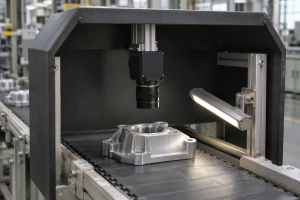
Machine Vision False Rejects: Check the Lighting Before the Camera
When a reflective part fails inspection, compare reference images before ordering a camera. Learn when to scope the light, controller or mounting instead.
Read guide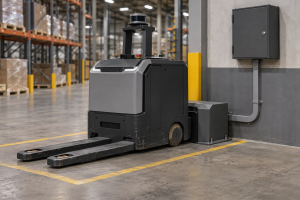
AMR Charging Faults: Is the Spare on the Robot or at the Dock?
When an AMR stops charging, distinguish the fixed dock from the vehicle battery. Use dock IDs and fleet events to scope the right replacement RFQ.
Read guide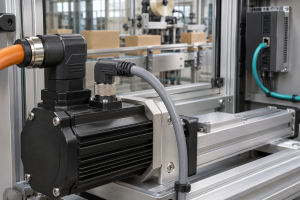
Servo Drive Spares: EtherCAT Is Not the Encoder Interface
An EtherCAT drive can still be the wrong spare. Learn how to verify the motor encoder protocol, feedback cable and exact drive variant before ordering.
Read guide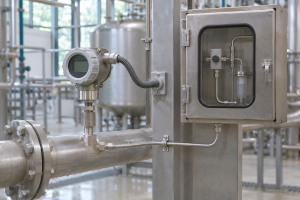
CENTUM R7.02: An Estimate Is Not a Field Measurement
Yokogawa’s CENTUM R7.02 adds AI Estimation. See how to distinguish model outputs, transmitter readings and laboratory results before ordering a spare.
Read guideSend your part number, photos or nameplate.
Our team will verify, check availability, and reply with options within 24 hours.
[email protected]+86 18359268345WhatsApp