
Product Systems
PointMax I/O: Replace a Module or Rebuild the Node?
PointMax I/O replacement starts with scope: distinguish the electronic module, mounting base, terminals and adapter from a planned platform change.
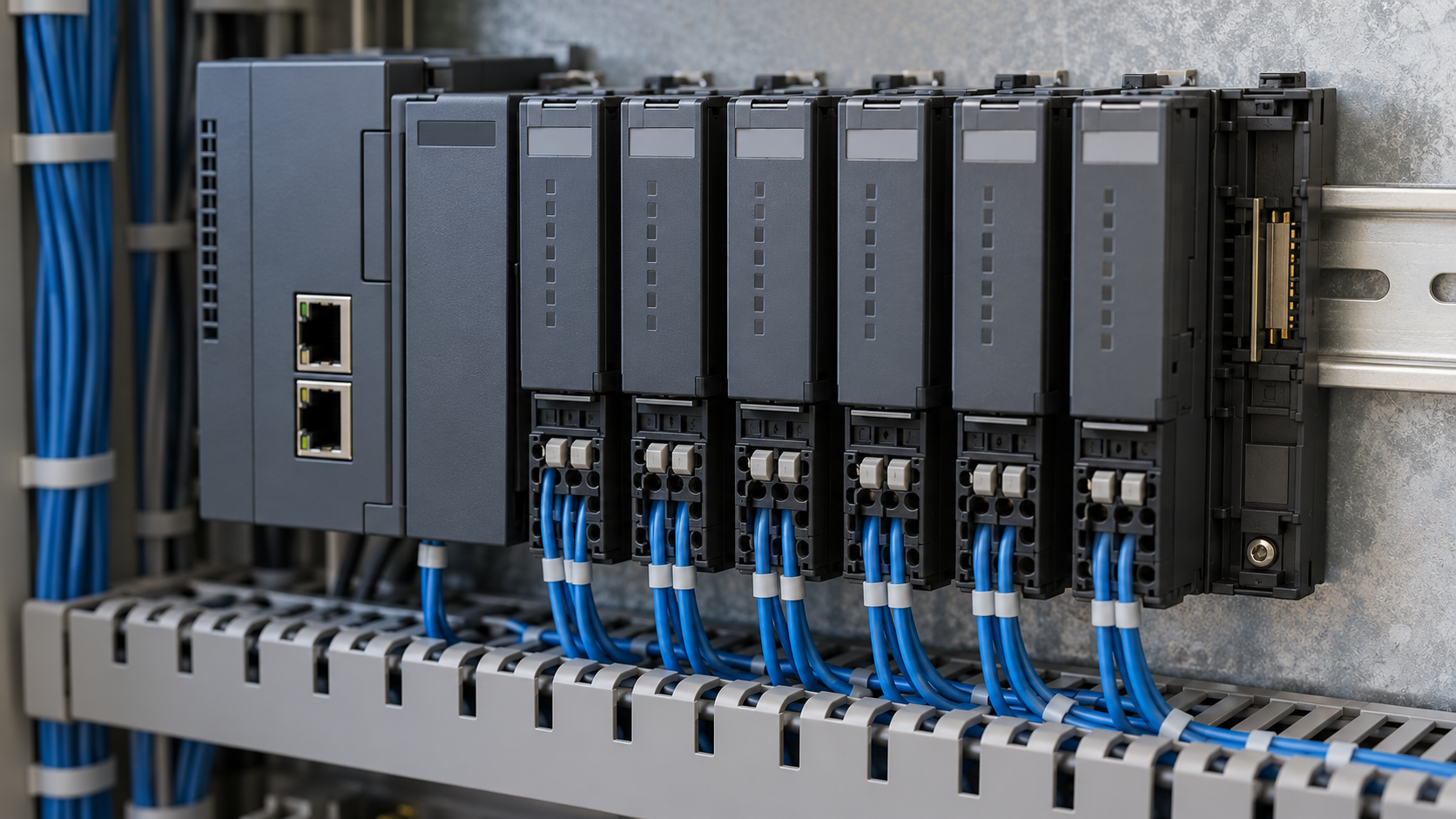
A request for an I/O spare can mean two very different jobs: restoring one position in an existing node, or introducing a different I/O platform. Mixing those jobs creates a misleading parts list. PointMax I/O is a useful example of why the distinction belongs at the start of a maintenance discussion.
What the latest announcement does—and does not—establish
Rockwell Automation’s 27 October 2026 Automation Fair announcement includes PointMax I/O in its forthcoming technology showcase. That is a verified manufacturer announcement about the exhibition lineup. It is not a compatibility statement for an installed cabinet, a discontinuation notice for another family, or confirmation that a particular spare is available from NANKMOS.
Our maintenance interpretation is practical: use the news to open a platform discussion, but use the actual installed references and approved engineering documentation to define the job.
An I/O node is more than its front-facing electronics
The official 5034 PointMax documentation center describes remote I/O used with Logix 5000 controllers and configured through Studio 5000 Logix Designer. It lists electronic modules, removable terminal blocks, EtherNet/IP adapters, mounting bases and accessories separately. Those are distinct items to identify, not interchangeable names for a complete assembly.
A small detail illustrates the risk of ordering by appearance. Rockwell’s mounting-base specification lists both 5034-MB and 5034-MBSA as 15 mm bases, with the latter described as including SA power. Similar dimensions therefore do not establish an identical function. These documentation pages are technical references, not newly issued October product releases.
Route one: restore the existing position
For a like-for-like maintenance request, define what is intended to remain unchanged. That might include the installed adapter, base, field termination, controller project and application function. Ask the responsible engineer to confirm that scope rather than leaving a supplier to infer it from a cabinet photograph.
A useful inquiry distinguishes the item requested from the surrounding assembly. Does the request cover the electronic module only, the terminal connector, the base, or a complete set? State the required quantities for each identified item. Do not assume a photograph of several assembled parts means all of them are included in a quotation.
Keep the observed symptom separate from the replacement decision. A reported channel problem is information for the plant’s diagnostic process; it is not, by itself, proof that a particular module is defective. This article does not prescribe fault-finding or authorize removal of equipment.
Route two: introduce a different platform
If the proposal changes the node architecture, treat it as an engineering change rather than quietly calling it a spare substitution. The project owner should define the proposed assembly, the controller and engineering-software environment, the field interface, and the acceptance evidence required before use.
Separate the commercial comparison from the technical approval. A lower component price does not answer whether the revised assembly has been reviewed for the application. Likewise, a newer product description does not establish that an existing wiring arrangement, safety function or configuration can be retained.
Do not disconnect wiring, exchange modules under power or modify a safety-related application based on this blog. Qualified personnel must follow the exact manufacturer’s instructions, the site’s electrical-safety procedures and its change-control requirements.
Make the requested supply boundary explicit
Start with readable labels; our PLC module nameplate guide explains how to capture the reference without guessing from the front panel. Then state whether the requirement is an existing-position spare or an engineer-defined platform change.
When reviewing automation spare parts, keep that distinction attached to the inquiry. Send the exact references and required scope through the NANKMOS contact form. Request confirmation of the offered items and condition; availability and suitability remain subject to RFQ review, not an assumed promise of drop-in compatibility.
Related guides
View all guides
Machine Vision False Rejects: Check the Lighting Before the Camera
When a reflective part fails inspection, compare reference images before ordering a camera. Learn when to scope the light, controller or mounting instead.
Read guide
AMR Charging Faults: Is the Spare on the Robot or at the Dock?
When an AMR stops charging, distinguish the fixed dock from the vehicle battery. Use dock IDs and fleet events to scope the right replacement RFQ.
Read guide
Servo Drive Spares: EtherCAT Is Not the Encoder Interface
An EtherCAT drive can still be the wrong spare. Learn how to verify the motor encoder protocol, feedback cable and exact drive variant before ordering.
Read guide
CENTUM R7.02: An Estimate Is Not a Field Measurement
Yokogawa’s CENTUM R7.02 adds AI Estimation. See how to distinguish model outputs, transmitter readings and laboratory results before ordering a spare.
Read guideSend your part number, photos or nameplate.
Our team will verify, check availability, and reply with options within 24 hours.
[email protected]+86 18359268345WhatsApp